Chrome extension: HK IPO Ledger
"HK IPO Ledger" is a Chrome extension built on the same fee engine as this calculator. It adds a multi-broker IPO ledger, allotment and P&L statistics, and a ticker format converter. It only has the "storage" permission and never goes online. All data stays on your computer. UI language: Simplified Chinese.
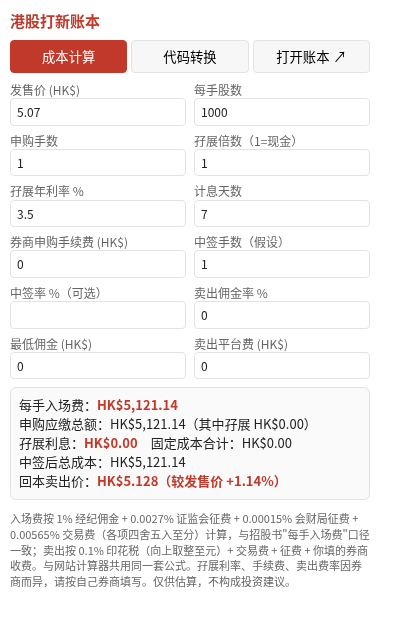
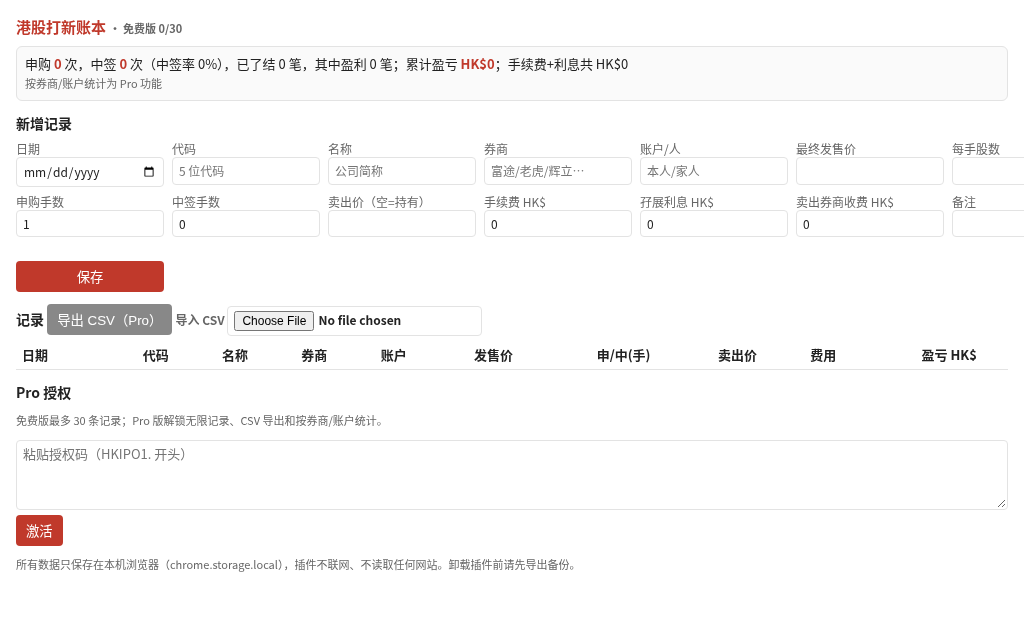
Features
| Feature | Free | Pro |
|---|---|---|
| Cost calculator (entry fee, margin interest, break-even, expected value) | ✓ | ✓ |
| Ticker format converter | ✓ | ✓ |
| Ledger records | Up to 30 | Unlimited |
| CSV import | Up to 30 records | Unlimited |
| CSV export | — | ✓ |
| Per-broker / per-account stats | — | ✓ |
See Pro pricing: 1 year CNY 39, lifetime CNY 89. Both are one-time payments with no auto-renewal.
Download & install
SHA-256: 1a45c513503e3e4b2db40484035ca9d3beb43a3cd96fde8488583ed90b82f034
- Download the zip and unzip it into a new permanent folder, e.g.
hk-ipo-ledger. Keep the folder after installing. - Open
chrome://extensions(Edge:edge://extensions). - Turn on "Developer mode" (top right).
- Click "Load unpacked" and select that folder (it contains manifest.json).
- Pin "港股打新账本" from the puzzle-piece menu, then click it to start.
Requires desktop Chrome or Edge 137+. Extensions loaded this way do not update automatically. To update, download the new zip, overwrite the folder and click "Reload" on the extension card. Your data is kept. Uninstalling deletes local data, so export a CSV first (Pro). See the Privacy Policy.